
Right-click menus: act on a row without opening it
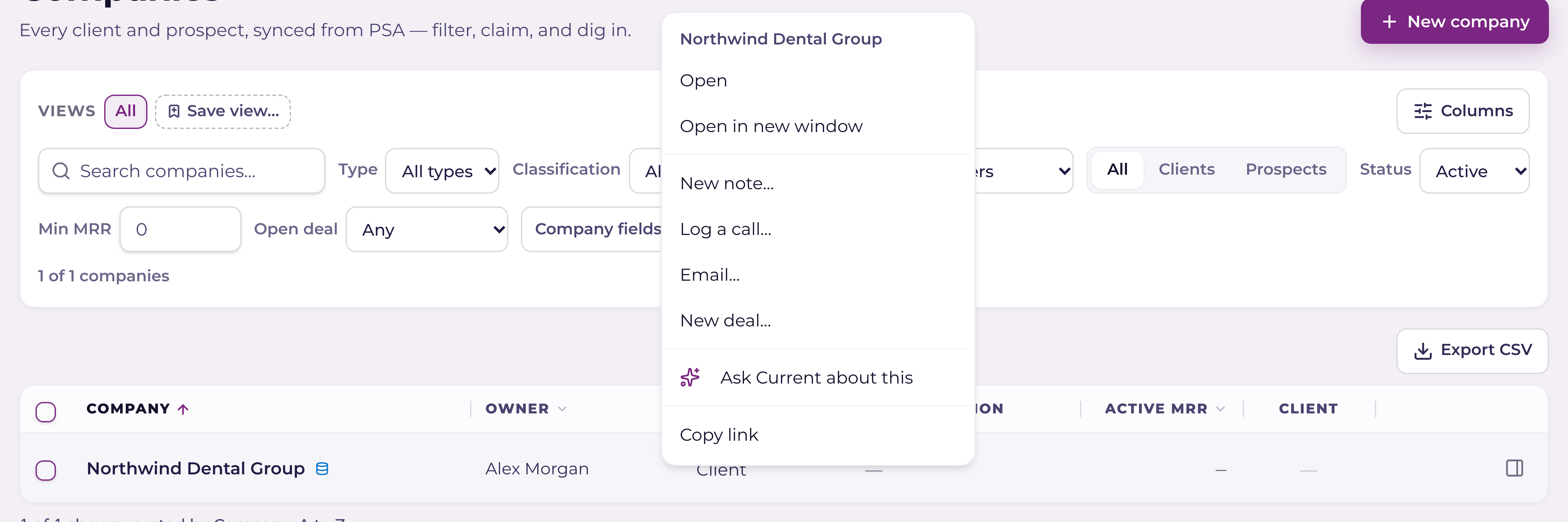
Most lists in Current have a menu on every row. Right-click a row or a card to see what you can do with it, without opening it first. The menu only lists what you're allowed to do there, so it's different for each person and each kind of record.
Four ways to open it
- 1Right-clickRight-click anywhere on a row or a card.
- 2The keyboardMove to a row with Tab and press Shift+F10, or the menu key if your keyboard has one.
- 3The ⋯ buttonWhere a row has room, a ⋯ button appears at its end when you point at it.
- 4On a phone or tabletPress and hold the row for half a second.
What's in it
Every menu starts with Open and Open in new window, and ends with Copy items such as Copy link. In between are the actions for that kind of record:
- +My Day: start or stop a timer, log time, mark a task complete, set a due date, tick a to-do or a checklist item.
- +Open work and the drawer's tabs: open in its own window, close it, close the others, or close every tab of that kind. Unsaved changes still ask first.
- +Projects: change a task's status, assign it, set its due date, log time or mark it complete.
- +Sales: write a note, log a call, start an email, create a deal, move a deal to another stage, mark it won or lost, or assign a lead.
- +Time: edit an entry, copy it to today, open its task or ticket, copy its summary, or delete a draft.
Ask Current about this puts a question about the record in the search box, so you can read it, change it and press Enter. Nothing is asked until you do.
Right-click selected text, a field you're typing in, or a link inside a row and you get your browser's normal menu, with Copy and Paste. Hold Option (Alt on Windows) while you right-click to get the browser's menu anywhere.
Several rows at once
In a list where you can tick rows, right-click inside your selection and the changes apply to every ticked row. The top of the menu says how many.