
What is a critical path (and how Current finds it)
Critical path, slack, and float explained, and how Current computes and highlights it automatically.
On this page · 3 sections
The critical path is the longest chain of dependent tasks in your project, the sequence that actually determines your finish date. Slip any task on it, and the whole project slips. Tasks off the critical path have slack (also called float): room to run late without moving the project's end date.
How Current computes it
Current recalculates the critical path automatically, every time a date, dependency, or resource's availability changes. You never run this by hand.
- Forward pass: Current works out the earliest possible start and finish for every task, honoring dependency types, lag, holidays, and each assignee's actual availability (PTO shows up here, a task assigned to someone out of office slides to their next working day).
- Backward pass: starting from the project's real end date, Current works backward to find the latest each task could start or finish without pushing that end date out.
- Slack: any task where the latest possible start equals (or is earlier than) the earliest possible start has zero slack. That's a critical task.
- Tasks with no dependency links at all are never marked critical, even if they happen to run long. Only tasks that are part of a dependency chain can be on the critical path.
Where it shows up
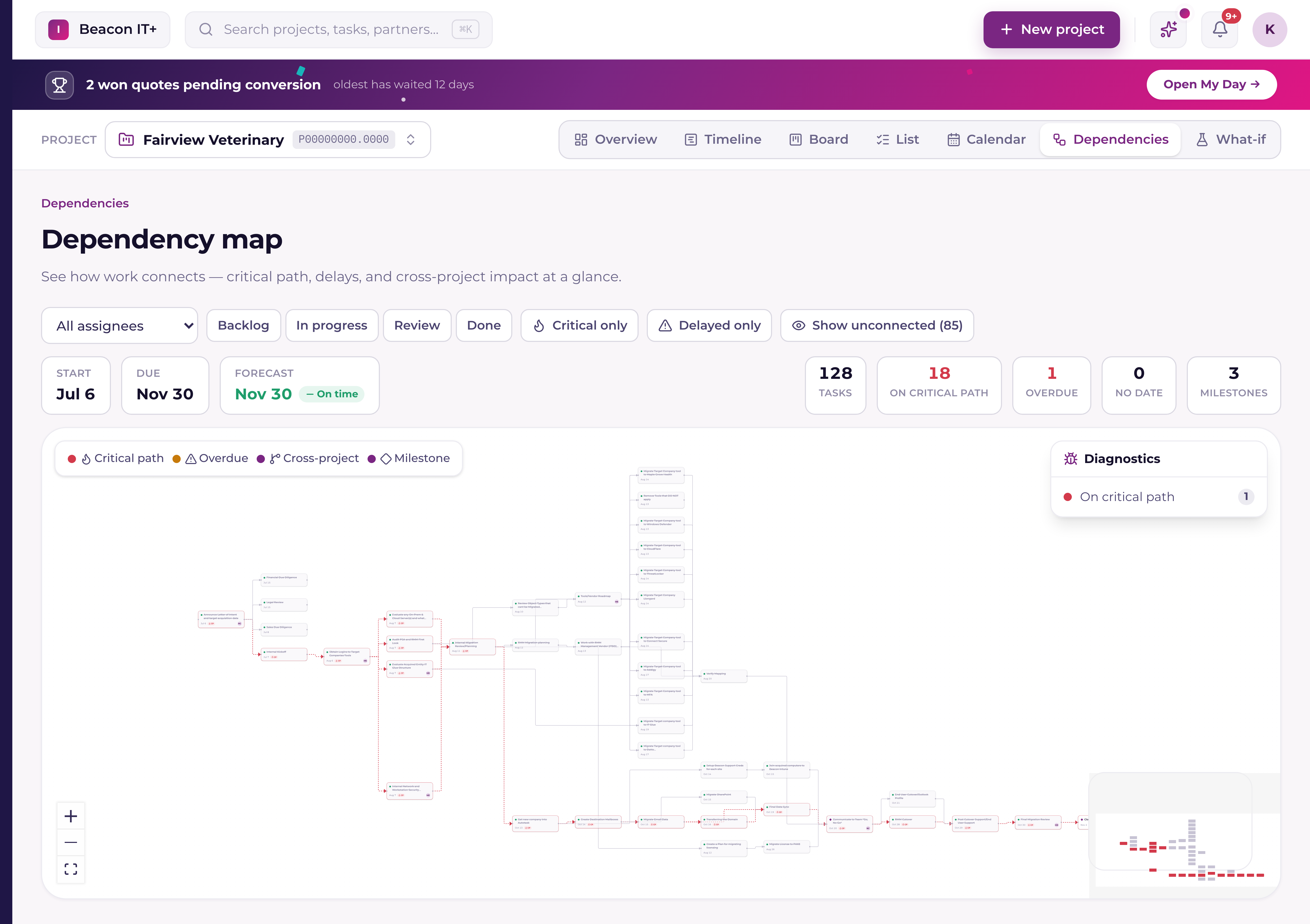
Critical tasks are highlighted in red on the Dependencies map, with a thicker, animated edge connecting them. You can also flag a task Critical manually from the task drawer, a Current-only flag that never pushes to your PSA.
Back-scheduling from a deadline
Some projects don't start from a kickoff date. They're anchored to an immovable deadline: an M365 cutover, a lease expiry, a contract renewal. Current can schedule backward from that date instead: every task gets the latest start and end that still hits the deadline, and if the plan would require starting in the past, Current flags it as infeasible before you commit to it.