
Use your PSA's built-in surveys for CSAT
Autotask, ConnectWise and HaloPSA each survey your partners after a ticket. Switch that on as Current's CSAT source and the company record, the dashboards, the SBR packs, the follow-up to-dos and the churn flag all fill from it. Syncro, Rev.io and SuperOps have no supported survey API, so CSAT there comes from CrewHu or SimpleSAT.
On this page · 7 sections
Autotask, ConnectWise PSA and HaloPSA each carry a survey feature of their own. If that is the survey already going out after a ticket closes, Current can read the answers and use them everywhere it uses CrewHu's: the company record, the dashboards, the SBR packs, the urgent follow-up, and the churn flag. One switch in your PSA drawer turns it on. No second survey goes out to anyone, and there is no new vendor to connect.
Syncro, Rev.io and SuperOps are the exceptions: none has a supported survey API, so there is no switch on their cards and CSAT on a Syncro, Rev.io or SuperOps workspace comes from CrewHu or SimpleSAT.
Your PSA's surveys can run beside one survey tool, CrewHu or SimpleSAT (a workspace connects one of the two, not both). When the tool and your PSA both scored the same ticket, the ticket counts once and the tool's answer is the one that counts.
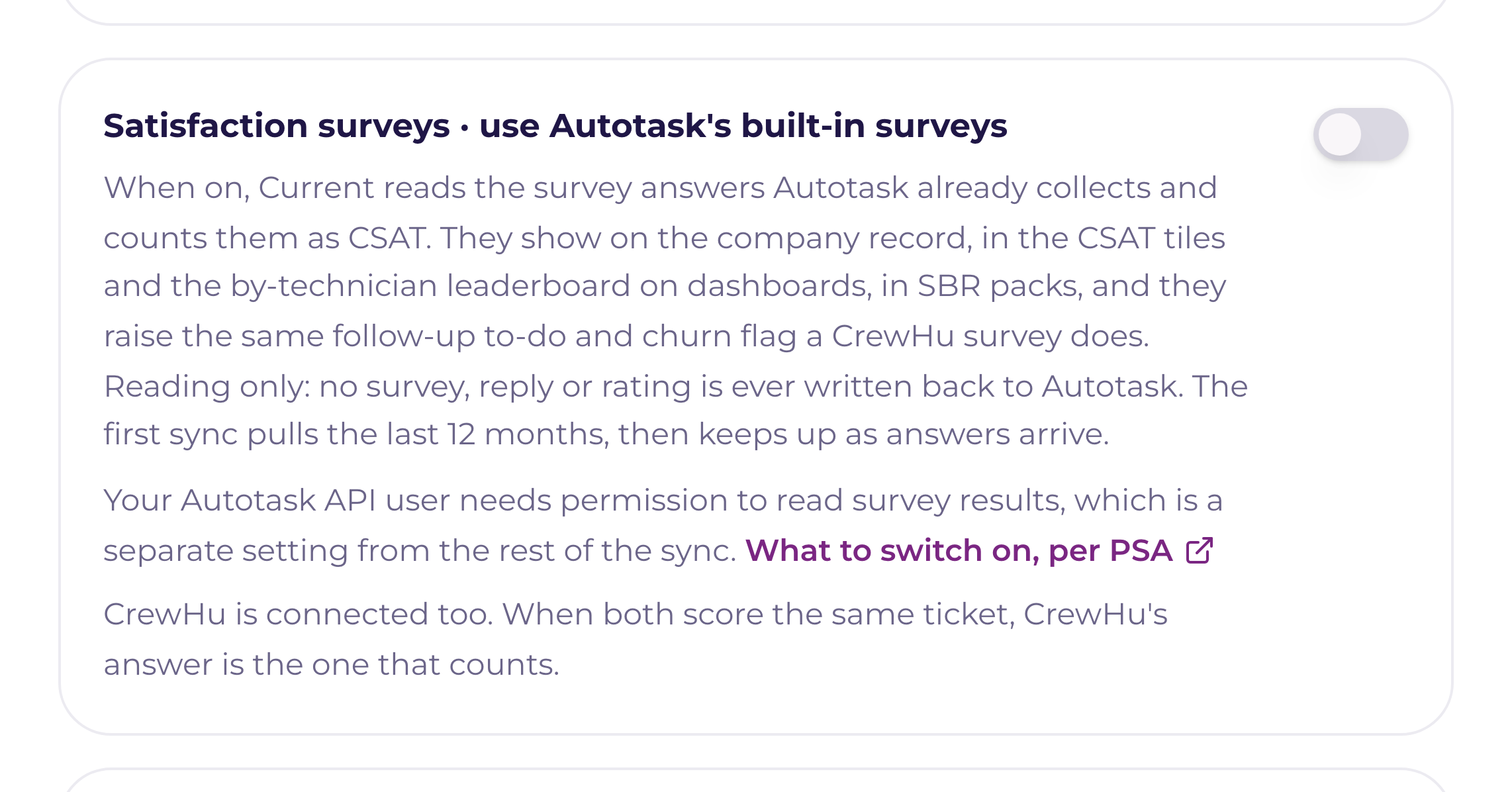
Current only reads. It never sends a survey, never edits an answer, and never writes anything back to your PSA's survey records.
Switch it on
Settings › Integrations → your PSA card → Manage. The switch sits just under the two-way sync switch ("Projects & tasks · push edits back"), and reads Satisfaction surveys · use Autotask's built-in surveys, with your own PSA's name in it. Since September 11, 2026 it is on from the start for every workspace, so most of the time there is nothing to switch. The section below is for checking it, or for switching it off. It is a Tenant Admin action, because it lives in the PSA drawer with every other PSA setting. On CrewHu's own card, sales leadership still sets the alert and churn thresholds and can test and sync; saving the API token there is a Tenant Admin action too.
- 11 · Check the permission firstEach PSA gates its survey data behind a permission, and each one answers a missing permission differently. The three sections below say exactly which line to grant, and what a refusal looks like from Current's side.
- 22 · Check that Satisfaction surveys is onIt starts on. If someone switched it off, the switch takes effect again on the next read; while it is off, Current makes no survey call at all.
- 33 · Leave the first read to runThe first read reaches back 12 months. After that the lane runs about once an hour and re-checks the last 45 days, so a survey answered late still lands.
- 44 · Read the first-connect diagnosticThe first read records what your PSA returned: how many results were read and written, how many could not be matched to a company, the spread of raw scores, and the wording of any refusal. It is the one place that tells you whether the reading works on your account.
How an answer becomes Positive, Neutral, or Negative
Current stores one of three readings per survey, the same three CrewHu uses, so every surface downstream works on one vocabulary. The raw vendor numbers travel with the row, so nothing is lost in the translation.
| Your PSA | What Current reads | How it scores |
|---|---|---|
| Autotask | Answered survey results, plus the survey names behind them. A result with no completion date was sent and never answered, so it is skipped rather than counted as anything | The 1–5 survey rating: 4 or 5 is Positive, 3 is Neutral, 1 or 2 is Negative. Autotask carries no written comment on a survey result, so a row shows the score and its ticket with no words under it |
| ConnectWise PSA | Service surveys, their questions, and the points behind each answer option | By share of the points available: 80% or more is Positive, under 50% is Negative, anything in between is Neutral. Open-ended answers and the footer response become the row's comment. A survey with no point-scored questions has nothing to score, so its results are skipped and counted, and the diagnostic names the survey |
| HaloPSA | Feedback records. Where the feedback list can't be read, closed tickets' own satisfaction score and comment | Halo's four feedback ranges, read from your configuration where Current can get them: Excellent and Good are Positive, Okay is Neutral, Bad is Negative. Note that Halo counts the other way from a star rating. The first button in the closure email is the best answer, so a score of 1 is Excellent and 4 is Bad. Without your ranges Current reads the out-of-the-box four buttons that way; a score above 4 is skipped and counted until the ranges can be read |
The permission to grant, per PSA
- 1AutotaskAdmin → Security levels → the level your API user holds → Other → Surveys. Two checkboxes carry this: Can view Organization/Contact Survey Ratings and Can view Resource Survey Ratings. Both are on by default for the API User (API-only) security level, so a standard setup has nothing to change. If either is off, Autotask refuses the read, and the diagnostic names both checkboxes rather than going quiet.
- 2ConnectWise PSAAdd the service-survey line to the security role behind your API Member: Service Desk → Service Survey: Inquire All. Older versions of ConnectWise list the same access under Companies → Surveys: Inquire All, so if the first line is not in your role list, grant the second. Which of the two your instance shows has not been confirmed against a live ConnectWise system yet. When the read is refused, the diagnostic names the endpoint Current asked for, and that is the permission to go looking for.
- 3HaloPSAHalo grants this on the API application itself (Configuration → Integrations → Halo API → your application → Permissions), and Halo's own guidance is "if unsure, set to all". There is no separate survey or feedback scope to find: the application's ticket access is what carries it, and the agent backing the application has to be allowed it too, since Halo gates on both.
Using CrewHu and your PSA's surveys together
Both can be on at once. When CrewHu and your PSA have both scored the same ticket, that ticket counts once and CrewHu's answer is the one that counts: Current drops the PSA copy and keeps the ticket and the technician it carried on the CrewHu row. Nothing is counted twice in the 90-day totals, the churn math, or a leaderboard, and one ticket never raises two follow-ups.
Where CSAT shows up
| Surface | What you see |
|---|---|
| The company record | The Customer surveys card: 90-day counts of Positive, Neutral, and Negative, a trend read, a churn-risk banner when the flag is up, and the recent surveys themselves. Every row carries where it came from (CrewHu, or your PSA's name), and the technician the ticket was assigned to |
| Dashboards | The average-CSAT and survey-response gauges count PSA surveys exactly as they count CrewHu's, and a CSAT by technician leaderboard ranks the positive share per person. A survey Current could not attribute to a technician reads as Unattributed rather than being spread across the team |
| Sales home | The Relationship Health tile. A churn flag or a recent negative survey is one of the signals ranking a company, whichever system the survey came from |
| The AI company read | Survey scores are weighted most heavily of all the evidence when they exist. See "The AI company read: what it analyzes and when it refreshes" |
| SBR packs | The satisfaction section of a Strategic Business Review, with the survey evidence cited. See "Strategic Business Reviews: the QBR, rebuilt on evidence" |
Alerts and the churn flag
One set of settings covers both sources. They sit on a card called Survey alerts & churn flag, on the CrewHu card and in the PSA drawer: which readings raise a follow-up, how many days the to-do is due in, and the three churn numbers (the window, the negative count, the negative percentage). A qualifying PSA survey does what a qualifying CrewHu survey does. A bell to the account owner and sales leadership, the same email, an urgent follow-up to-do for the owner, and an entry on the company's timeline. The timeline entry is credited to the PSA that sent the survey instead of to CrewHu, so the record says where the answer came from.
Nothing arrived, three things to check
- The switch, and the clock. The lane makes no call at all while the switch is off, and it reads about once an hour. The first read reaches back 12 months on a large book, so give it a cycle before you decide it is broken.
- A permission gap. If your PSA refused the survey endpoint, Current writes the refusal into the diagnostic in plain words and lets the lane sleep until the next cycle rather than hammering it. Grant the line for your PSA above and the next read picks up on its own.
- Answers, and who they belong to. A survey that was sent and never answered is not a score, so it is skipped. So is a survey Current cannot tie to a company: those are counted separately in the diagnostic, and the fix is the ticket. A survey finds its company through the ticket it was about, so that ticket has to be one Current has synced.
For CrewHu itself, see "CrewHu CSAT: surveys, urgent alerts, and churn flags". For how CSAT combines with tickets, email, and activity into one risk read, see "Churn and sentiment scoring: reading the risk flags".