
CRM email sync: what lands on a company, and why
Current pulls mail from each CRM user's Inbox and Sent Items, but stores a message only when the other party is a known contact or company domain. One contact on a real business domain is enough to identify a company, customer or prospect.
On this page · 8 sections
Current reads each CRM user's own Microsoft 365 mailbox (Inbox and Sent Items), and files the mail you exchange with partners and prospects onto the matching contact and company. The email sync is a one-way pull: the sync engine only reads; it never replies to, moves, or deletes anything in your mailbox. (Sales sequences are a separate, opt-in feature that does send from your mailbox on your behalf.)
The rule that governs everything below: a message is stored only when the other party is a known CRM contact address or sits on a company's own email domain. Everything else (your personal mail, your internal threads, your vendor receipts) is dropped the instant the match fails. It is never written to the database and its subject, body, and addresses are never logged.
How a message gets matched
Current looks at the other side of the exchange: for a message in your Inbox, the sender; for a message in Sent Items, every To and Cc recipient. It then tries two matches, in order.
| Match | What it does | Result |
|---|---|---|
| Exact contact address | The address is a contact on file, and that address sits on the contact's own company domain. | Filed against that contact and their company. |
| Company domain | The address isn't a contact, but its domain (or a subdomain of it) is a known company domain. | Filed against the company, with no contact. |
| No match | Neither test passes. | Discarded in memory. Nothing is stored. |
Where a company's email domain comes from
A contact address can only pull mail onto a company when it belongs to that company's own domain. This applies to every company in the workspace: a partner you bill, a prospect you're courting, a company with an opportunity and a company without one. Current derives that domain in two tiers, stopping at the first one that works:
- The company's website, northwinddental.com on the record makes northwinddental.com the domain.
- If the website is blank or yields no usable mail domain: the company's most common contact domain. One contact on a real business domain is enough, so a prospect whose only contact is jane@northwinddental.com gets northwinddental.com. The contact doesn't have to be the primary one. Where a company's contacts sit on two different business domains, the more common one wins and an exact tie claims nothing.
This is wider than it used to be. Until July 2026 the second tier needed the primary contact specifically, or three separate contacts agreeing on a domain and holding a majority of the whole roster, so a prospect with one good contact, and plenty of quieter accounts, matched nothing at all. The evidence bar came down; none of the safeguards below did.
Three kinds of domain can never identify a company: free/public mail hosts (gmail.com, outlook.com, yahoo.com, icloud.com and the rest, plus social hosts like linkedin.com); your own staff domain; and hosted site-builder hosts (wixsite.com, squarespace.com, sharepoint.com and the like). A brochure-site host is a website, never a mail domain. A role address, noreply@, alerts@, support@, billing@ and their kind. Also can't nominate a domain for a company, because a block of those imported as "contacts" is a vendor notification feed rather than proof of who owns the domain. Once a company holds a domain legitimately, mail from a role address on it is matched like any other.
Two guards then run on every candidate, and both fail closed, no match rather than a loose one. A host carried on several unrelated companies' contact rosters is treated as a vendor, no-reply or ISP host and identifies none of them. And a domain that already belongs to another company, or that sits inside another company's subdomain chain, is never handed to a second one; where two companies both have a claim, neither gets it. If a company ends up with no derivable domain, none of its contacts can match and Current syncs nothing for it rather than guessing.
What it needs to run
- 1Connect Microsoft 365 for each personIntegrations → Microsoft Teams → Connect Microsoft 365. This is a per-user connection: each person consents for their own mailbox. A user without the admin nav connects from the in-app "Connect Microsoft 365" banner instead. Nobody's mail syncs until they connect.
- 2Have the mailbox read permission approvedCurrent requests delegated read access to the signed-in user's mail. If Microsoft hasn't granted it, the connection is flagged with "Microsoft hasn't granted Current mailbox access yet. Reconnect Microsoft 365 (or ask an admin to re-approve it) to sync your CRM email history." Sync stays quietly dark until it's approved. Nothing breaks, nothing partial gets stored.
- 3Give the person CRM accessOnly CRM users' mailboxes are swept. Someone without CRM access has no email sync, connected or not.
How often it runs
| Trigger | Cadence | Notes |
|---|---|---|
| Background sweep | Every 5 minutes | Bounded to 25 mailboxes per run; users beyond the cap can pull their own mail with Sync now. |
| Sync now | On demand | The button in a contact's Email history drawer. Throttled to once a minute per person; a second click inside that window is a quiet no-op. |
| First-ever sync | Once | Backfills roughly the past year of Inbox and Sent Items, progressively across runs, a very large mailbox fills in over several ticks rather than all at once. |
After the first pass, Current only asks Microsoft for what changed, so ongoing syncs are cheap. For every other schedule in the platform, see "How often does Current sync? Every schedule, in one table".
Where the mail shows up
- Partners → Contacts: the envelope button on a contact row opens the Email history drawer, threads newest first, each message expandable to its full body, up to the newest 200 messages.
- The company record: emails appear in the activity timeline, and the collapsible "Full email archive" panel rolls up the newest 200 messages for the company (including domain-matched mail that has no contact row) shown 25 at a time via "Show earlier email". See "The company record: your single view of every account".
Drafts are never ingested. Deleting or filing a message in Outlook does not remove it from Current. The CRM timeline is a business record of what was sent, not a mirror of your mailbox. Message bodies are stripped of scripts and active content before they are ever stored, and links inside a message body open in a new tab.
Who can read synced mail
Reading is much narrower than ingesting. Current matches against every known contact and company domain in the workspace (because that match set is a privacy filter, not a visibility filter), but each stored message can only be read by:
- the person whose mailbox it came from, or someone in sales leadership; and
- only when that person can already see the company the message is filed under.
So an account executive sees their own mail plus nothing of a colleague's book; a sales manager sees the team's. See "Sales Manager vs. Account Executive: who sees what".
No one (not even an admin) can edit an individual synced message or hand-delete one: signed-in users hold no insert, update, or delete grant on the email table at all. Two admin levers do remove content in bulk: excluding a mailbox purges every message from it, and the retention window (100 days by default, platform-wide) clears the full body of messages older than the window while keeping subject, participants, dates, and the short summary snippet. A tenant admin can lengthen the window from CRM settings, up to two years. Mirrored PSA ticket descriptions follow the same 100-day rule once a ticket has been quiet that long; the ticket itself, its status history, and its numbers stay forever, and opening a ticket always fetches the full detail live from your PSA.
Files that came with an email
When a captured email came with files, a paperclip line under the message lists each file's name and size. Current never copies or keeps the files themselves: they stay in the mailbox the email arrived in, and only the names are shown. If the email is in your own mailbox, press Open in Outlook to open the message in Outlook on the web and get the file there. If it came into a teammate's mailbox, the line names who to ask, because Outlook opens a message only for the person whose mailbox holds it. A picture pasted into the body of an email shows as a small "Picture in the original email" line for the same reason.
Files you attach in Current's email window go straight to Microsoft 365 and leave from your own mailbox. Current keeps their names on the sent copy, never the files.
Keeping a mailbox out of it
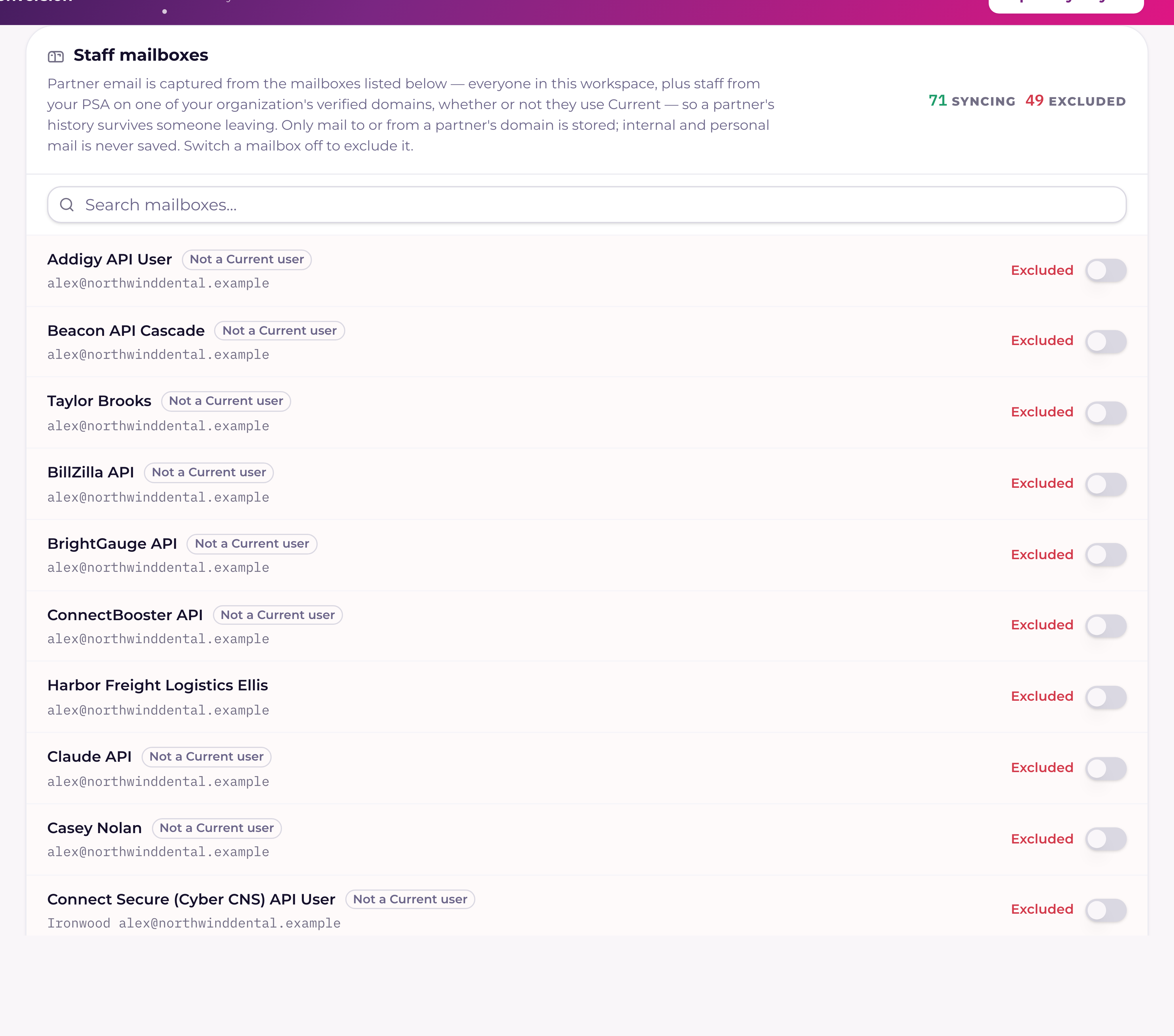
Some inboxes shouldn't sync at all, an owner's or an executive's, where HR and contract threads live. A tenant admin can switch a single person's email sync off from Users & roles; doing so also permanently deletes everything already synced from that mailbox. The full walkthrough, including what the purge does and what happens if you turn it back on, is in "Excluding a mailbox from CRM email sync".