
Seats, pricing, and what counts as a user
List price is $149 per user monthly ($134 billed annually). Round 1 (the first 100 MSPs) lock the founding rate of $50 monthly ($45 annual) for as long as their subscription stays active. Everything is included, partner portal viewers are free and unlimited, and every workspace starts with a 14-day trial and a 3-seat minimum. Billed in US dollars, euros, pounds, or Canadian, Australian or New Zealand dollars at a fixed price per currency.
On this page · 7 sections
Current has one price and no add-ons. The AI, every integration, the CRM, the project engine, the partner portal, one per-user price covers all of it. There are no tiers, no per-module SKUs, and no per-seat AI surcharge, so nobody has to work out which edition they're on before answering a question. AI usage is subject to the Fair Use Policy, including its usage allowances and add-on terms: https://current.day/fair-use.
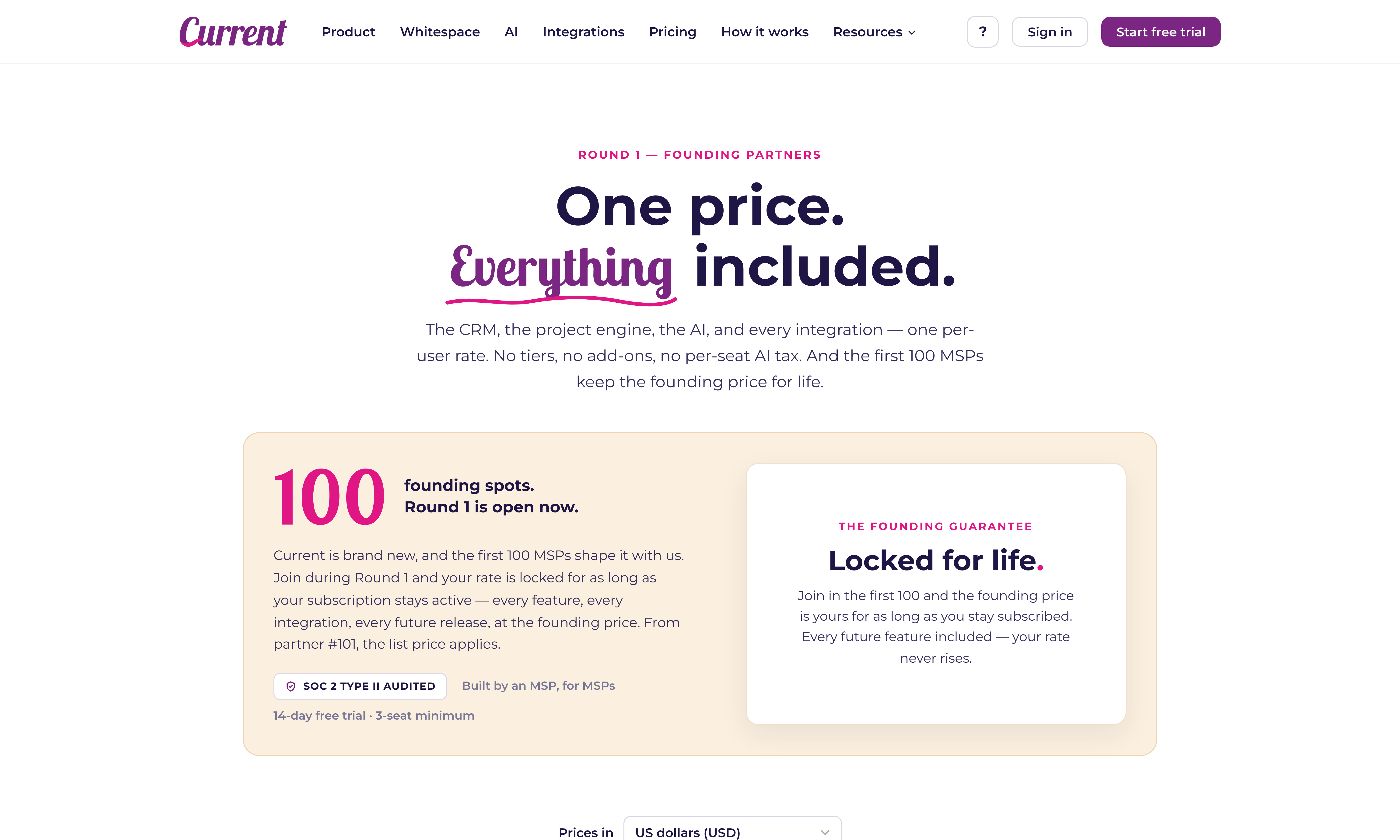
| USD | Monthly | Annual |
|---|---|---|
| List price (after Round 1) | $149 / user / month | $134 / user / month, billed yearly |
| Round 1 founding rate (first 100 MSPs) | $50 / user / month | $45 / user / month, billed yearly |
| Founding rate, per user per year | $600 | $540, $60 back vs. founding monthly |
| Commitment | Cancel anytime | One year (about 10% back) |
| The product | Identical | Identical |
Which currency you pay in
Current is sold in six currencies: US dollars, euros, pounds sterling, and Canadian, Australian and New Zealand dollars. Each has its own fixed price, so a workspace paying in euros pays a whole-euro amount every month, never a converted figure that moves with the exchange rate. The pricing page shows the price in the currency for the country you are browsing from (falling back to your time zone and browser language), with a switcher to change it, and the plan step in setup opens on the same currency the pricing page showed you. You choose once; Stripe keeps that currency for the life of the subscription.
| Currency | Monthly, per user | Annual, per user per month (billed yearly) |
|---|---|---|
| US dollars (USD) | $50 | $45 ($540 a year) |
| Euros (EUR) | 45 € | 40 € (480 € a year) |
| Pounds sterling (GBP) | £40 | £35 (£420 a year) |
| Canadian dollars (CAD) | CA$70 | CA$65 (CA$780 a year) |
| Australian dollars (AUD) | A$70 | A$65 (A$780 a year) |
| New Zealand dollars (NZD) | NZ$85 | NZ$80 (NZ$960 a year) |
The only difference between monthly and annual is how you'd like to be billed. The product is identical, and your founding rate is locked either way. Starting month-to-month and switching to annual later is a normal path. The switch happens right on the Billing page, and the platform doesn't change underneath you. Both plans have a 3-seat minimum, always.
What counts as a user
- Counts: a member of your team, technicians, dispatchers, project managers, vCIOs, finance staff, sellers, admins. The price is the same for all of them. Delivery roles (engineer, project manager, admin) get the project engine; an account executive is a sales lens. They see the projects their own won opportunities became, not the full project workspace. See "Roles & permissions: who sees what". The Sales area is the one part that is switched on per person: an admin turns on CRM access for a member in Users & roles. Account executives, sales managers, and admins with it on get the full CRM; other staff with it on get the read-only company view, Sales home, Companies, and Contacts, without the pipeline, campaigns, or commissions. A Tenant Admin can also turn on Full CRM for one of them, which opens the rest of the CRM on every account but never commissions, at the same seat price.
- Free: your clients viewing their own projects in the partner portal. Unlimited, forever, and they never count toward your bill or your seat pool. Invite as many as the engagement needs, see "Invite a partner to the client portal".
- Also free: disabled users. Disable a member and their seat is released back to your pool immediately, their history stays intact and attributed to them.
How the seat pool works
You don't pay per name. You buy an allocation of seats and your team draws from it. Think of it like a parking lot: you rent 8 spaces, and it doesn't matter which cars are parked in them on a given day. Adding a person just takes a free seat from your pool; if the pool is full, you buy more seats first.
| You do this | What happens | When |
|---|---|---|
| Add a user (free seat in the pool) | They take a seat, no charge, nothing to configure | Immediately |
| Add a user (pool is full) | The invite dialog offers one more seat with the exact prorated amount; one click buys it and sends the invite | Charged immediately; the seat renews with everything else |
| Buy more seats | A prorated charge for the time left in your current term, on both plans | Charged immediately; the new seats renew together with everything else |
| Disable a user | Their seat goes back to the pool for someone else | Immediately |
| Lower your allocation | Your next bill covers the smaller number (minimum 3, and at least your active users) | At renewal, never mid-term |
The 14-day free trial
Every new workspace starts with a 14-day free trial. A card is required up front (that's how the trial starts), but nothing is charged until day 15, and we email you the exact amount three days before it happens. Seat and plan changes during the trial are free: experiment all you like, and the first charge bills whatever you settled on. Cancel before the trial ends (a short reason is required), and the subscription does not start charging. See "Cancelling your subscription (and what happens after)".
What's included, and the one thing that isn't
Included in the per-user price: the MSP CRM (opportunities, companies, contacts, campaigns, sequences, lists, whitespace, sales goals), the project engine (dependencies, critical path, Gantt, Kanban, time entry that flows to billing), every integration Current ships, single sign-on, the partner portal, the audit log, and all of the AI, nightly Radar insights, daily sales briefs, company insights, the campaign and sequence writer, and the Strategic Business Review builder. There is no separate SBR license; see "Strategic Business Reviews: the QBR, rebuilt on evidence".
The one thing you bring yourself is ZeroBounce. Email verification runs on your own ZeroBounce account (you paste your own API key into the Integrations tile), so those verification credits are billed by ZeroBounce, not by us. See "ZeroBounce: verify email deliverability before you send".
How seats change day to day
- 1See where you standThe Billing page (your initials menu, top right, admins only) shows the seat meter: "Using 6 of 8 seats." Settings › Users and roles › People lists everyone behind that number, partners show up there too with the Read-only / Partner role, but they never occupy a seat.
- 2Adding a personInvite them from Users & roles with the role they need. They take a free seat from your pool the moment they're an active member. If the pool is full, the invite dialog offers one more seat right there, with the exact prorated amount, and a single click buys the seat and sends the invite, see "Invite team members and assign roles". The same offer appears when you enable a disabled member or give a read-only viewer a staff role, and the seat meter at the top of Users & roles shows where you stand at a glance.
- 3Removing a personDisable them in Users & roles, click their row, then Disable member at the foot of the panel, and confirm. Access ends immediately and their seat returns to the pool. Nothing is deleted. Their logged time, comments, and history stay intact and attributed to them, and you can re-enable them later. To also pay for fewer seats, lower your allocation on the Billing page; that takes effect at renewal.
Common questions
| Question | Answer |
|---|---|
| Is anything an add-on? | Every module is included, with no per-module license or per-seat AI surcharge. AI usage allowances and add-on terms are in the Fair Use Policy at https://current.day/fair-use. ZeroBounce verification credits come from your own account. |
| Do partner viewers cost anything? | No, free and unlimited, forever. They never count toward your seat pool. |
| Do sales users need a different license than delivery users? | No. There's one price and one product. Whether a person sees the Sales area, and how much of it, is the CRM access switch plus their role, not a licence. |
| Is there a free trial? | Yes, 14 days as standard. A card is required up front, and the first subscription charge is due when the trial ends. Cancel before then to avoid that charge. |
| Where do I see invoices? | The Billing page, your initials menu in the top right, admins only. Every invoice is listed there with a PDF download. See "Manage your subscription: seats, plans, cards, and invoices". |
If you're still deciding who needs a seat at all, the fastest test is this: if they log time, work opportunities, or manage projects, they're a user. If they only want to watch their own project move, they're a partner, and they're free. For the hands-on mechanics, adding seats, switching plans, updating the card, see "Manage your subscription: seats, plans, cards, and invoices". The full subscription terms are in the Terms of Service at https://current.day/terms, and how we handle your data is in the Privacy Policy at https://current.day/privacy.