
Dates wrong or work blocked? Recover the project
Use Health to find the next fix, review a recovery plan and protect the project’s promised date.
On this page · 6 sections
Open the project and read Health. It combines Current Score, the latest assessment and What to fix. The old Project Debugger is now part of this card, with actions for dates, owners, sync conflicts and budget details.
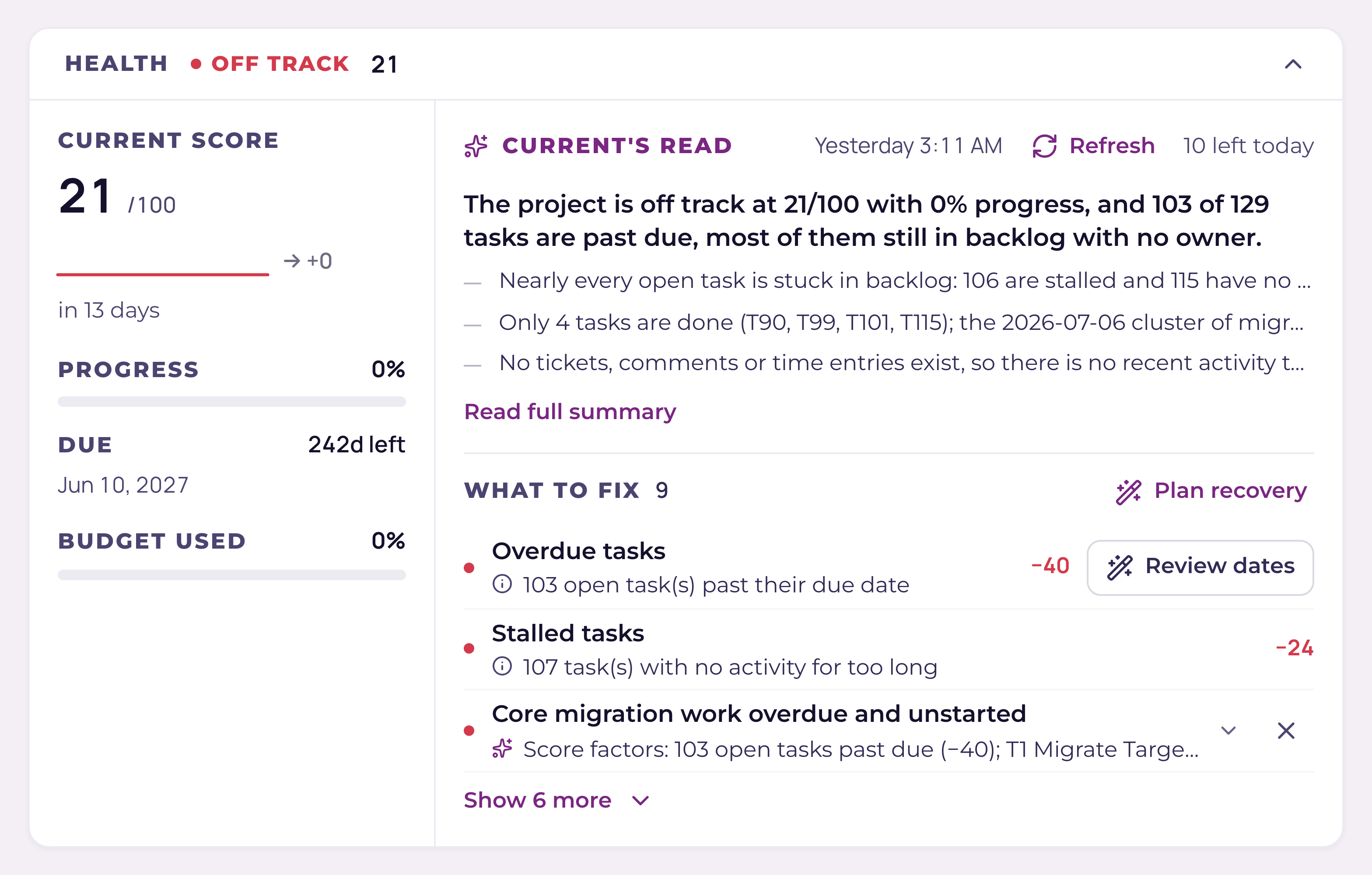
Check what is actually open
Done tasks do not count as open work, and archived or orphaned task history does not reduce the score. Completing a task refreshes the score; updates from another tab or a PSA sync refresh it too. The assessment’s date tells you when the AI last ran, which is separate from the current score.
Build a recovery plan
- 1Choose Plan recovery or Review datesCurrent reads the project’s unfinished tasks, dependencies and time off. It can fix a non-working start automatically when the due date and owner stay the same. It leaves completed tasks and healthy schedule slack in place.
- 2Compare the finishesThe plan shows the current finish, proposed finish and promised project date. An amber warning means the proposal runs beyond the promise. Current does not extend the promised project date.
- 3Resolve missing evidenceA dependency with missing dates, a cycle or an unknown fixed boundary can block Apply. Open the named tasks and correct the underlying information, then build the plan again.
- 4Review changed due datesRead each task’s before-and-after dates and acknowledge the commitment changes before applying. Project managers can apply the plan. Engineers can apply it only when every changed task is their own.
- 5Check the resultCurrent rereads the work before saving and refuses a stale plan. A result can name changes saved locally, changes not saved and PSA delivery problems separately. Follow those details before planning again.
What the plan protects
- All four dependency types and their lead or lag: finish-to-start, start-to-start, finish-to-finish and start-to-finish.
- Weekends, workspace holidays and the owner’s PTO, holiday or blocked days. Short meetings are reviewed as capacity in Daily dispatch rather than treated as a whole day off.
- Completed tasks and tasks outside this project stay fixed. Their dates still constrain related work.
- Existing owners and the promised project date stay the same. A due-date change always needs review.
When the problem is staffing
Open Daily dispatch in Schedule. It separates ready work from blockers and shows remaining work beside recorded capacity, time off and calendar availability. Assignment suggestions need a project manager’s review; missing effort, capacity or calendar data is shown as unconfirmed. Confirm skills and unscheduled support work before committing someone.
When the problem is sync or budget
Review conflicts opens Sync Health. View budget opens the project’s budget details. Those actions keep their existing permissions. If all work is finished, use Mark complete rather than moving old task dates forward.
Current Score deductions
| Factor | What it counts | Points lost | Cap |
|---|---|---|---|
| Overdue tasks | Open tasks whose due date is in the past | 8 each | 40 |
| Unassigned work | Open tasks with no Current owner and no PSA assignee | 3 each | 15 |
| Unscheduled tasks | Open tasks missing a start or an end date | 2 each | 10 |
| PSA sync conflicts | Unresolved conflicts on this project | 5 each | 15 |
| Budget burn | Budget over 100% consumed (20) or 90–100% (10) | 10 or 20 | 20 |
| Project past due | Project due date passed and progress is under 100% | 15 | 15 |
| Open red risks | Risks sitting in the red lane on the Risks board | 10 each | 30 |
| Risks past review | Open risks whose review-by date has passed | 3 each | 9 |
| Stalled tasks | Tasks with no activity for too long, sized to each task's own window | 6 each | 24 |
| Work stopped | Hard evidence the plan has stopped: a critical task stalled red or overdue by more than a week, or the project itself more than a week past due | 50 | 50 |
Current Score starts at 100 and subtracts these deductions. A score of 80 or more is on track, 55–79 is at risk and below 55 is off track. A health status set by a project manager remains visible beside the underlying score.